Your First Conversation with ChatGPT
Part 1 of 6 in ChatGPT for Daily Life. See all parts
You have heard people talk about ChatGPT. Maybe your nephew, who now asks it everything, including what to get you for your birthday. You nodded along. Now you want to try it without feeling silly.
Good. This series is for you. It is about daily life, not business. Dinner, bills, trips, homework, the weird letter from your insurance company. No spreadsheets. One area of life each Saturday.
Part 1 has one big idea. The first answer is a draft. Your follow-up question makes it good.
What ChatGPT is, in plain words
ChatGPT is a chatbot. A chatbot is a program you talk to by typing, and it types back. Like texting, but the other side answers in seconds and never leaves you on "read."
It is made by a company called OpenAI. Under the hood, it is an AI language model. In plain words: it learned from a huge amount of written text, so it is very good at producing a useful-sounding reply to almost anything you type.
What that means for you:
- It is great at explaining, planning, writing and suggesting.
- It is not an encyclopedia, and it is not always right.
- It can sound very sure and still be wrong. OpenAI says this too, and tells users to check important information.
Think of it as a well-read friend who never gets tired of your questions, but who sometimes remembers things wrong. Not your doctor, lawyer or accountant.
Where to find it: computer or phone
On a computer: open your web browser (the app you use to visit websites) and go to chatgpt.com. In supported countries, you can try it before you create an account. If you want to keep your chats and come back to them later, you need a free account (your login).
On a phone: there is an official ChatGPT app for iPhone and for Android. In your phone's app store (where you download apps), search "openai chatgpt" and check the publisher (the company name shown with the app, sometimes labeled "Developer"). On iPhone it should say OpenAI OpCo, LLC. On Android it should say OpenAI. The publisher check matters. OpenAI's help page tells you to check the publisher before you download.
Paid plans exist (a subscription that gets you more than the free version). You do not need one for Part 1.
How to ask
The message you type is called a prompt. That is the main piece of jargon you need today. A prompt is just your question or request. What it changes for you: a clearer prompt gets a more useful answer.
No special words needed. Write like you are asking a helpful person, and add the details they would need:
- Who it is for ("me and two kids, one is picky").
- What you want ("a dinner idea").
- Limits ("30 minutes, no oven, I have chicken and rice").
- Shape ("a short list," "step by step," "in plain words").
Compare these two:
What should I make for dinner?
You will get nice dinners for nobody in particular. Now try this:
I have chicken, rice, frozen peas and one sad onion. I have 30 minutes and no oven. Dinner is for me and two kids, and one of them refuses anything spicy. Give me 3 ideas as a short list, then step-by-step cooking steps for the easiest one.Much better odds. Not sure which details matter? Let ChatGPT ask you:
I want help planning a relaxed Sunday for my family. Before you suggest anything, ask me up to 5 questions so your answer fits us.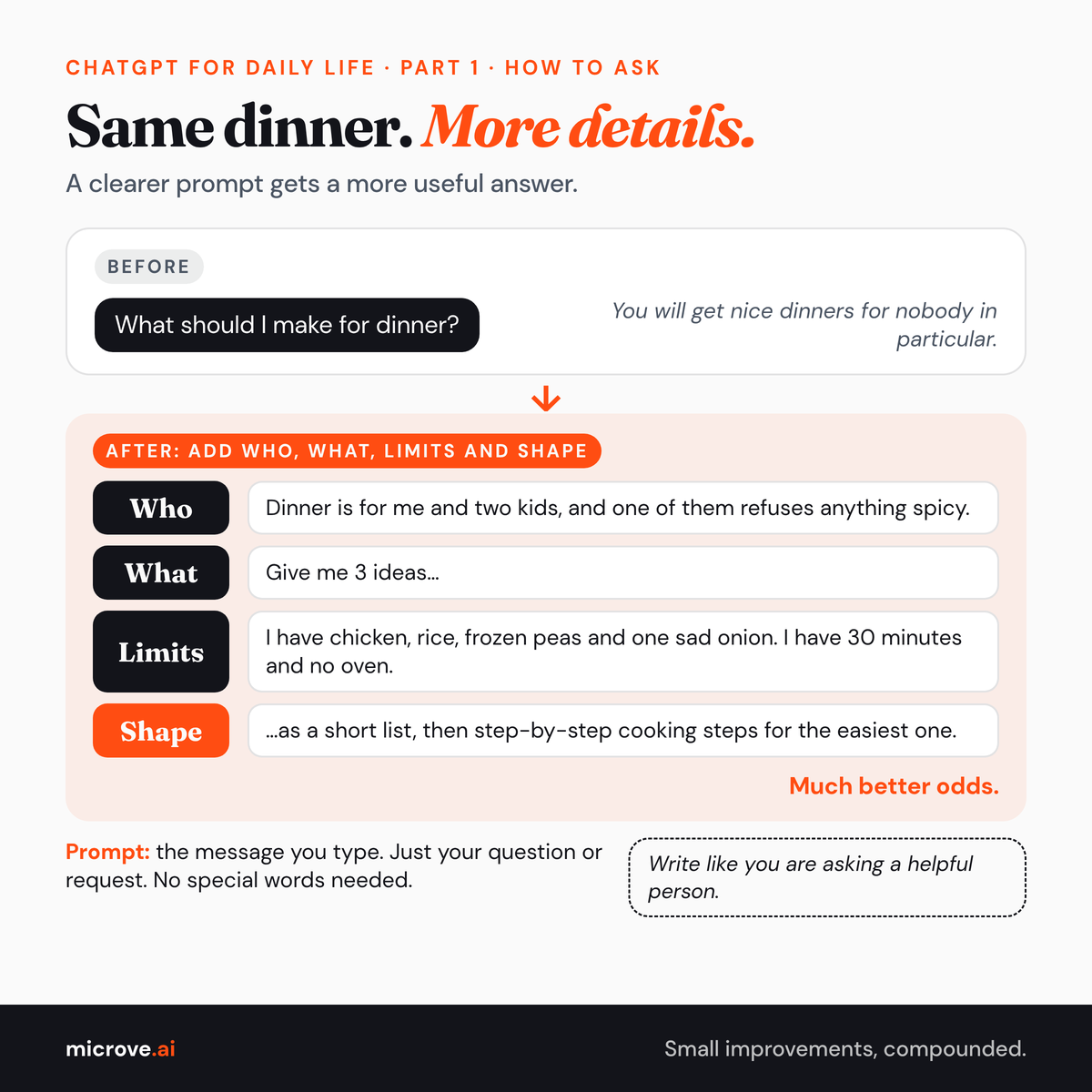
The big idea: the first answer is a draft
Here is where it is tempting to stop. You ask once, get an answer that is mostly right, and decide it is "okay, I guess."
Do not stop. Reply in the same chat. A chat is one conversation thread, like a text thread with a friend. You can just say "make it shorter," and it knows what "it" is. No need to start over. Tell it what to change, like telling a barber "a bit shorter on the sides" instead of walking out.
Copy-ready follow-ups:
Make it shorter and simpler.
Use only ingredients I already listed.
My younger kid will not eat peas. Swap them for something else.
Put the steps in order with times, so I know when to start the rice.
You can also ask it to check its own work:
Look at your last answer. What parts might be wrong, out of date, or worth double-checking before I rely on it?It can point out parts worth checking. Not all of them.
And if it misunderstood you completely, say so plainly:
That is not what I meant. I wanted a quick weeknight dinner, not a weekend project. Try again with that in mind.No need to be polite to protect its feelings. It is a program. (Being polite is still fine. Old habits.)
The loop, in one picture
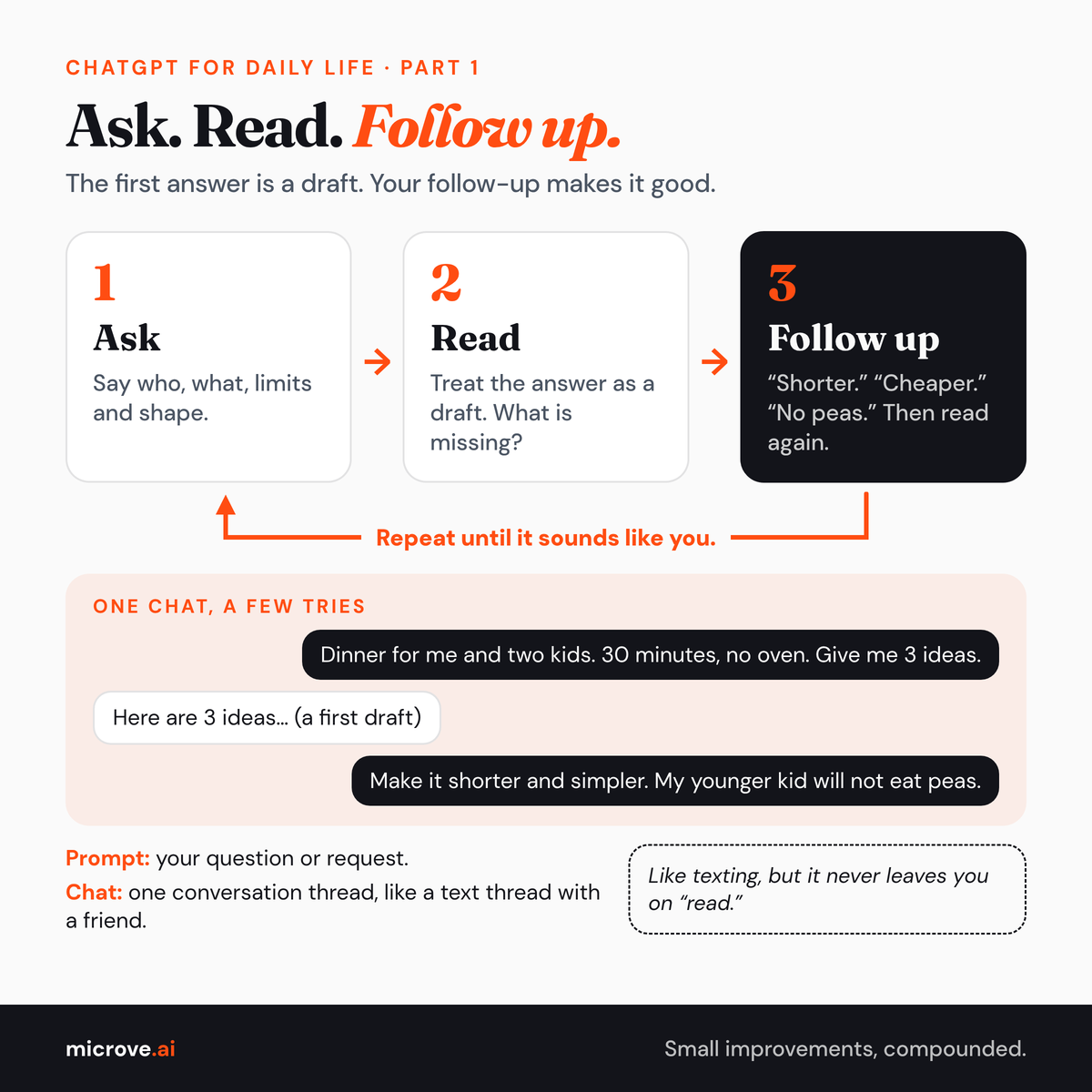
- Ask. Say who, what, limits and shape.
- Read. Treat the answer as a draft. What is missing?
- Follow up. "Shorter." "Cheaper." "No peas." Then read again.
A short safety tip
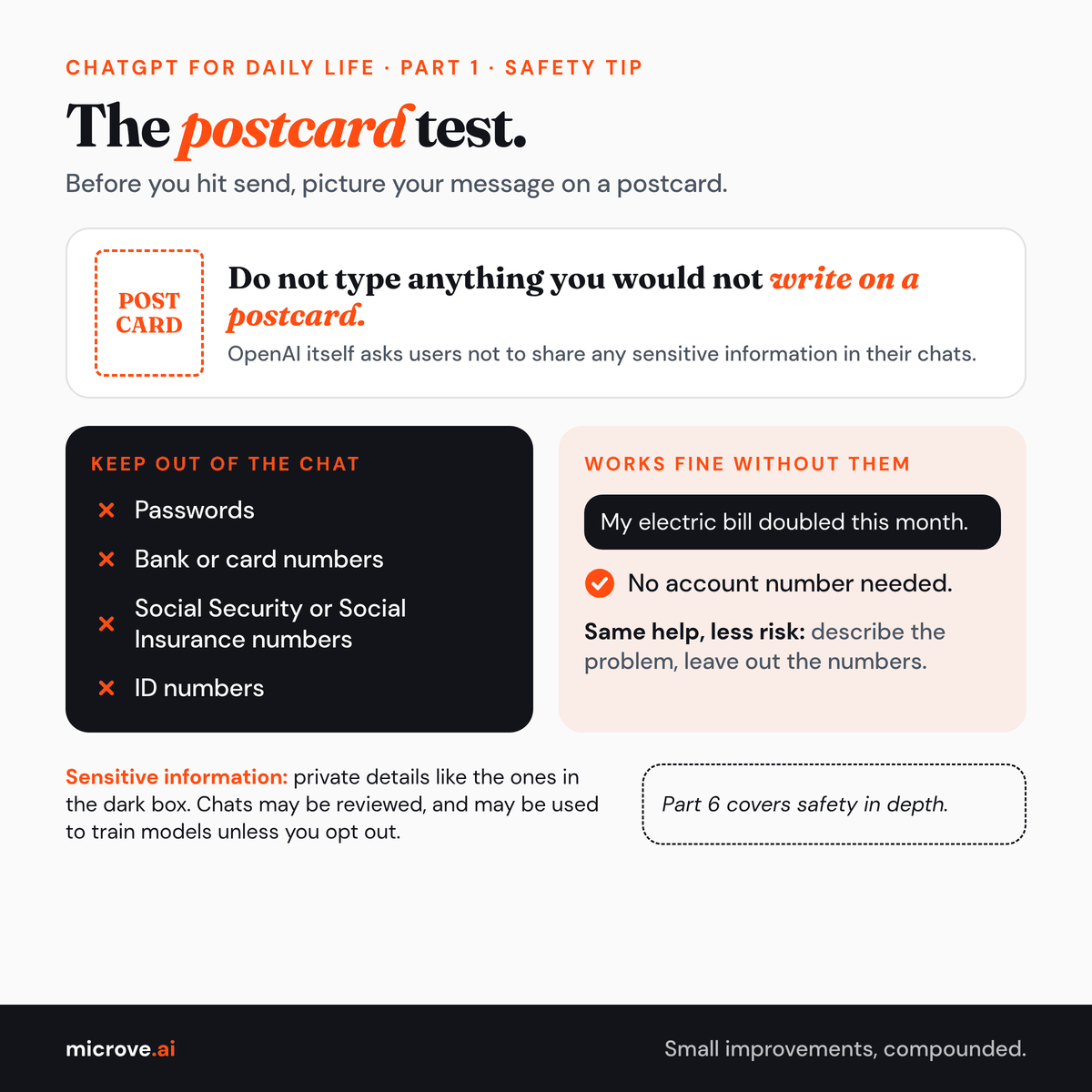
Do not type anything you would not write on a postcard. That means no passwords, bank or card numbers, Social Security or Social Insurance numbers, or ID numbers. OpenAI itself asks users not to share any sensitive information in their chats. Its help pages say conversations may be reviewed and, unless you opt out, used to train its models. "My electric bill doubled this month" works fine without your account number. Part 6 covers safety in depth.
Try this today
Pick one small, real thing: tonight's dinner, a text you owe a friend, or a plan for Saturday morning.
- Ask ChatGPT once, with who, what, limits and shape.
- Send at least two follow-ups that change something.
- Compare the first answer with the last one.
That gap between the two is the whole lesson. The good stuff usually shows up in your second and third questions, not the first.
Next Saturday, Part 2: dinner, bills and the shopping list. Meal plans from what is in your fridge, a simple budget, and help with the bill that makes no sense.