On-premise, private cloud or vendor cloud: how a growing company picks where its AI runs
Many companies start with AI the same way. Someone signs up for a chat tool. Soon people paste in contracts, invoices, patient notes or customer emails.
Then a question comes up in ops or procurement: where does that data go?
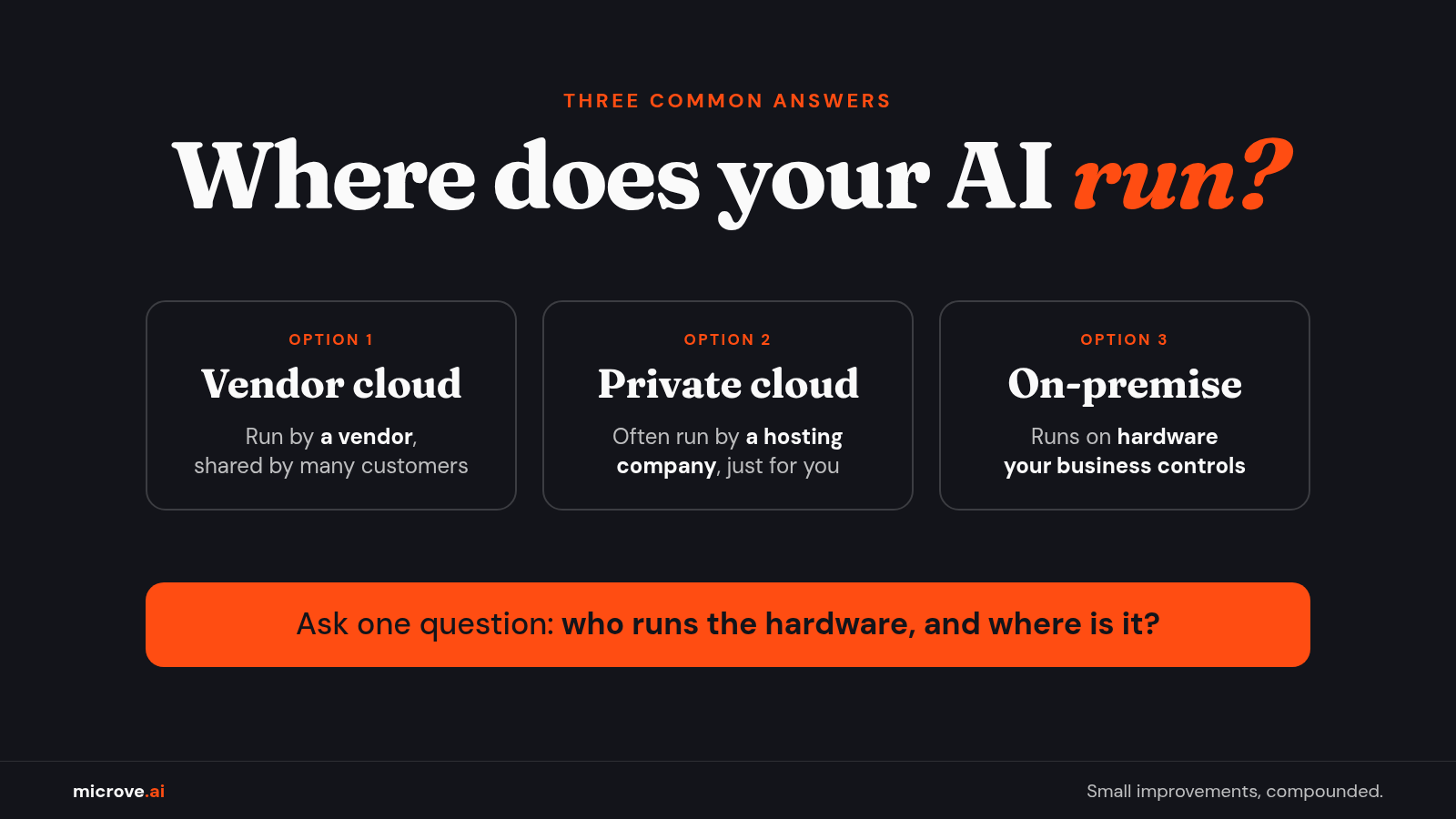
There are three common answers. Here they are in plain terms, with a short checklist to pick one.
Option 1: vendor cloud AI (shared)
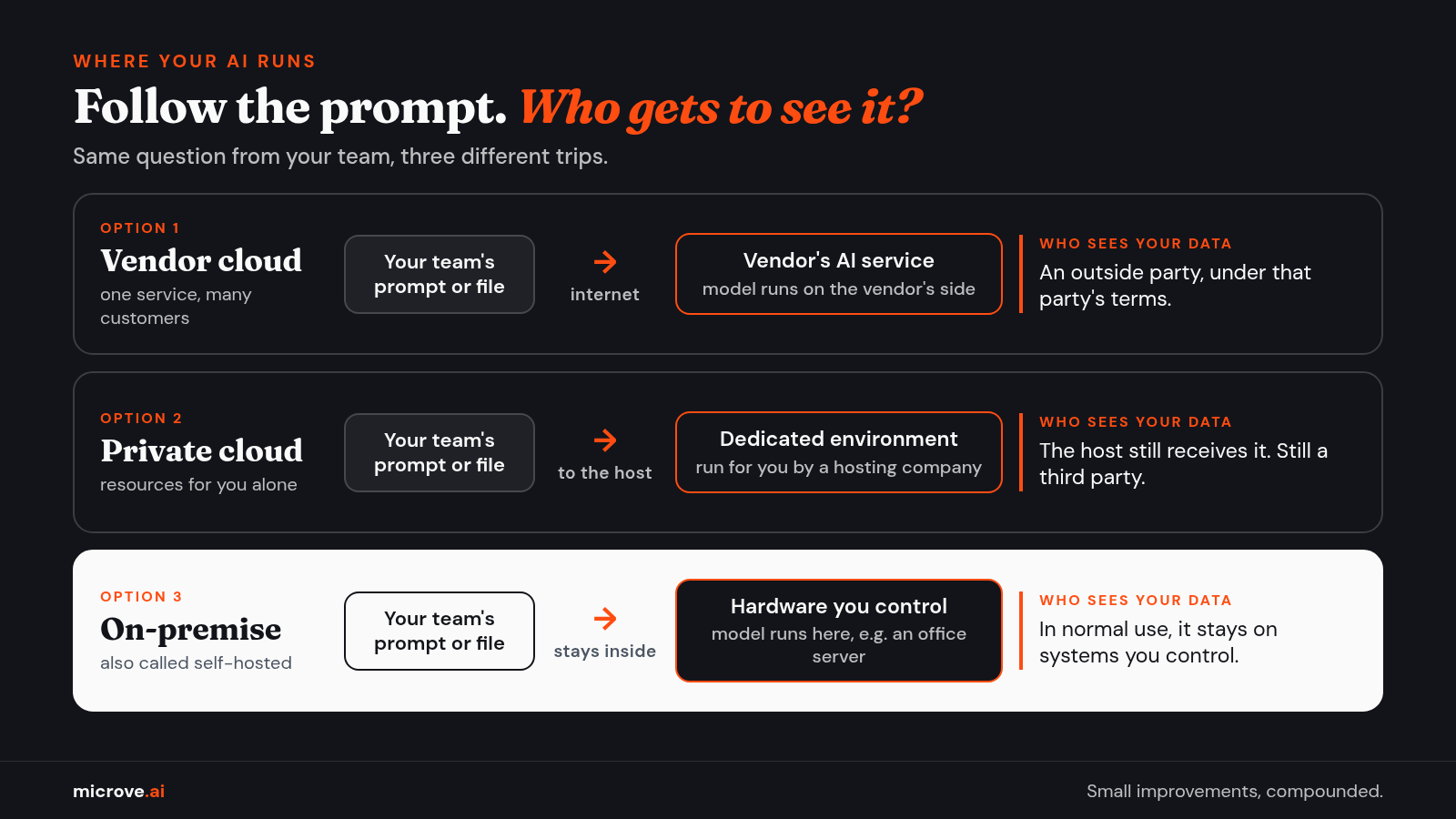
This is the default. You use an AI service that a vendor runs for many customers. You send a prompt (the question or instruction you type) or a document over the internet. The vendor's model processes it and sends back an answer. A model is the trained program that reads your words and writes the reply.
It is fast to start, with no hardware to buy. The trade-off: your data goes to an outside party, under that party's terms.
Those terms matter. Staff at the Federal Trade Commission (FTC), the U.S. consumer protection agency, have written that customers "may reveal sensitive or confidential information when using a company's models, such as internal documents and even their own users' data." FTC staff have also warned companies against quietly changing their terms to allow new uses of data, such as AI training. Read the terms, and check them again later.
Option 2: private cloud
"Private cloud" sounds like it means "on our own servers." Often it does not.
NIST (the National Institute of Standards and Technology), a U.S. Department of Commerce agency that publishes technical standards and guidelines, defines a private cloud as infrastructure "provisioned for exclusive use by a single organization." In plain words: the computers, storage and network are set aside for one company. It "may be owned, managed, and operated by the organization, a third party, or some combination of them, and it may exist on or off premises."
So a private cloud can be a dedicated environment that a hosting company runs for you. The resources are yours alone, but the host still receives your data. It is still a third party.
When a vendor says "private," ask one question: who runs the hardware, and where is it?
Option 3: on-premise or self-hosted AI
Here, the AI model runs on hardware your business controls, such as a server in your office. In normal use, prompts and documents stay on systems you control instead of going to a shared outside AI service.
Open-weight models make this possible. These are models whose trained files (the "weights") you can download and run on your own machine, the way you install software instead of using a website. A July 2025 federal policy document, America's AI Action Plan, describes them as models "made freely available by developers for anyone in the world to download and modify." The same document notes that "many businesses and governments have sensitive data that they cannot send to closed model vendors." Closed model vendors are companies that keep their model files to themselves: you can use the model through their service or a partner's cloud, but you cannot download it and run it on your own machine.
Two cautions:
- Licenses differ. "Freely available" does not mean "no terms." Some open-weight models use permissive licenses such as Apache 2.0, which allow business use with few conditions. Others carry limited commercial terms. Read the license for the model you plan to use.
- Size matters. The largest open-weight models need data-center GPUs (graphics chips that do the heavy math for AI) or very large-memory workstations. They are not a normal small-office setup. For a 50-person office, the realistic choice is a smaller model on one well-equipped machine or server.
There is no single "best" model. The right one depends on your tasks, your hardware and the license.
What self-hosting does not fix
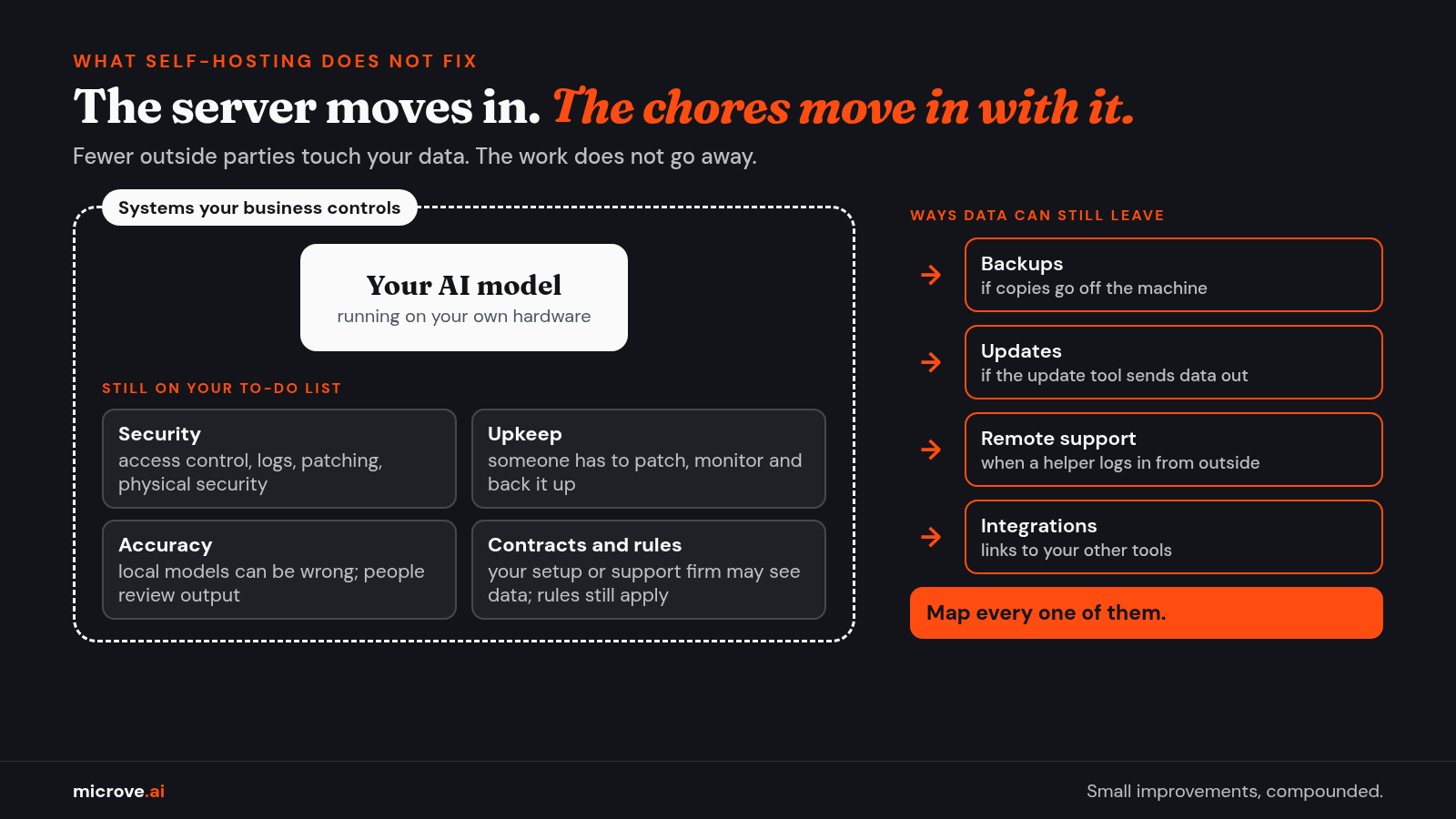
Self-hosting means fewer outside parties touch your data. It does not remove the work. A server in the back room still needs someone to look after it, like a very quiet coworker who never takes out its own trash.
- Security stays. You still need access control (who can log in and what they can see), logs (a record of who did what), patching (installing security updates), backups and physical security for the machine.
- Accuracy stays a risk. Local models can give wrong answers. People still need to review output.
- Data can still move. Backups, updates, remote support and integrations (connections to your other software, such as email or your customer database) can send data out. Map them.
- Contracts still matter. A firm that sets up or supports your system may still have access to sensitive data.
- Rules still apply. NIST lists data privacy as a named risk of generative AI (AI that writes new text, images or code). In healthcare, the U.S. Department of Health and Human Services (HHS) lists an outside vendor's chatbot on a provider's patient portal that handles patients' health information as an example of a business associate: an outside firm that creates, receives, stores or sends patient health information for a healthcare provider or health plan, and has its own duties under HIPAA, the federal health privacy law.
- Law firms have their own guidance. The American Bar Association's Formal Opinion 512 addresses confidentiality when lawyers use generative AI tools. This is general information, not legal advice. Talk to a qualified attorney about your situation.
A decision checklist for a growing company
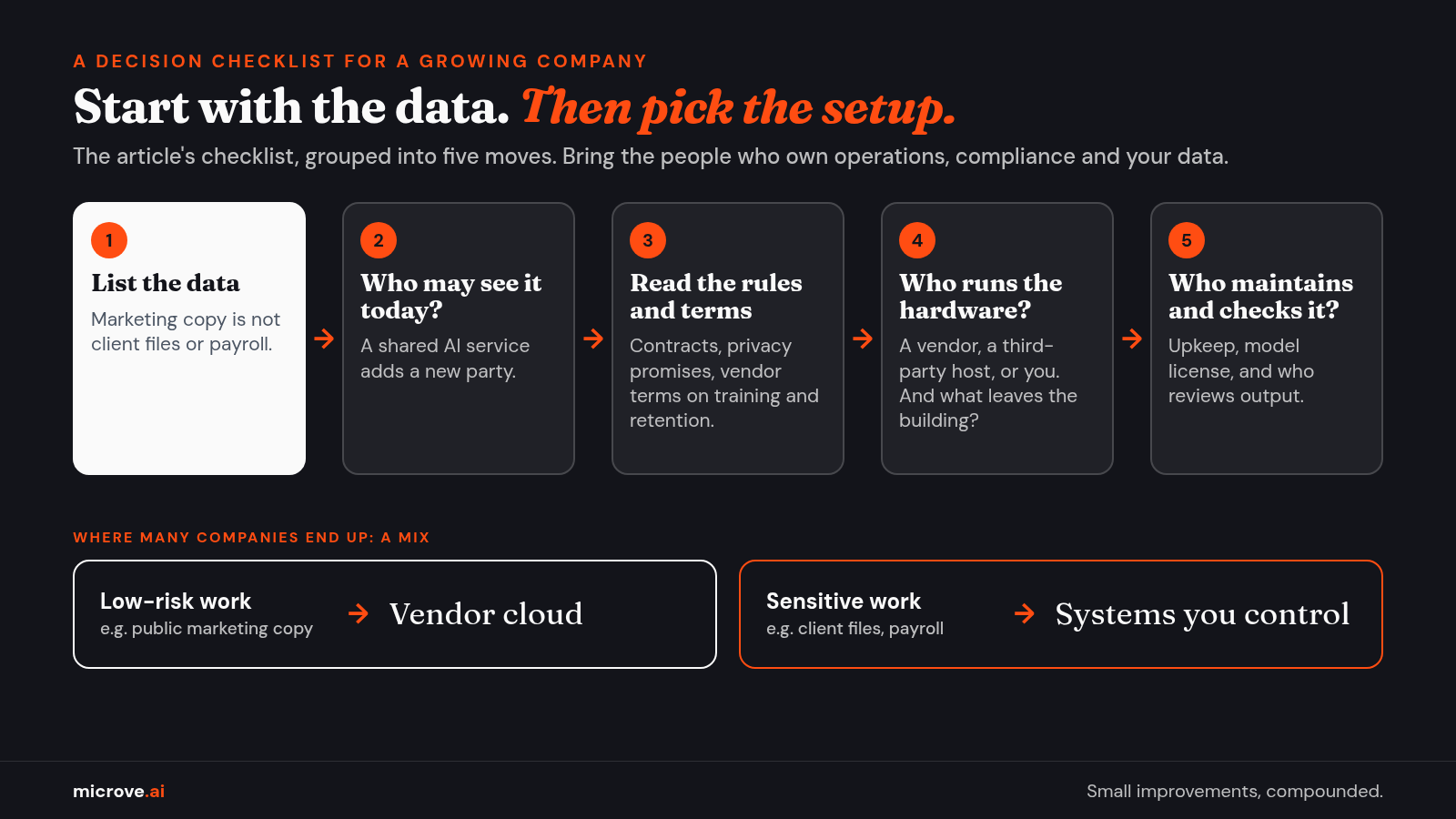
Work through these with the people who own operations, compliance and your data.
- What data will go into the AI? List it. Public marketing copy is different from patient records, client files or payroll.
- Who may see that data today? A shared AI service adds a new party to that list.
- What do your rules and contracts say? Include client agreements and your own privacy promises.
- What do the vendor's terms say about training and retention? Training means using your data to improve their AI. Retention means how long they keep it. Can the terms change? How will you know?
- Who runs the hardware? A vendor, a third-party host, or you.
- What tasks do you need? Drafting, summaries and document search often work with smaller models.
- Who will maintain it? Self-hosted AI needs someone to patch, monitor and back it up.
- Which model license fits? Confirm commercial use is allowed for your case.
- What leaves the building? Map backups, updates, remote access and integrations.
- Who checks the output? Decide who reviews what before it reaches a client or a record.
Many companies end up with a mix. Low-risk work goes to a vendor cloud. Sensitive work stays on systems they control.
Closing
The question is which option fits your data, your rules and your team. Start with the data. Pick the setup that keeps it with the fewest parties you can manage well.
Where the AI runs is one decision in a bigger job. We do the whole job: find the workflow worth fixing, build the tool, connect it to the software you already use, run it in the setup that fits your data, and keep it working. If that sounds useful, get in touch.